
MiniMed Flex Is FDA Cleared: Smallest Pump, Phone-Run
MiniMed Flex Is FDA Cleared — Smaller, Screenless, and Run From Your Phone
MiniMed's smallest insulin pump ever just got the FDA's green light: about half the size of the 780G, controlled entirely by smartphone, and powered by the SmartGuard algorithm with meal detection. Here's what's in it, who it's for, and what to know before you decide anything.
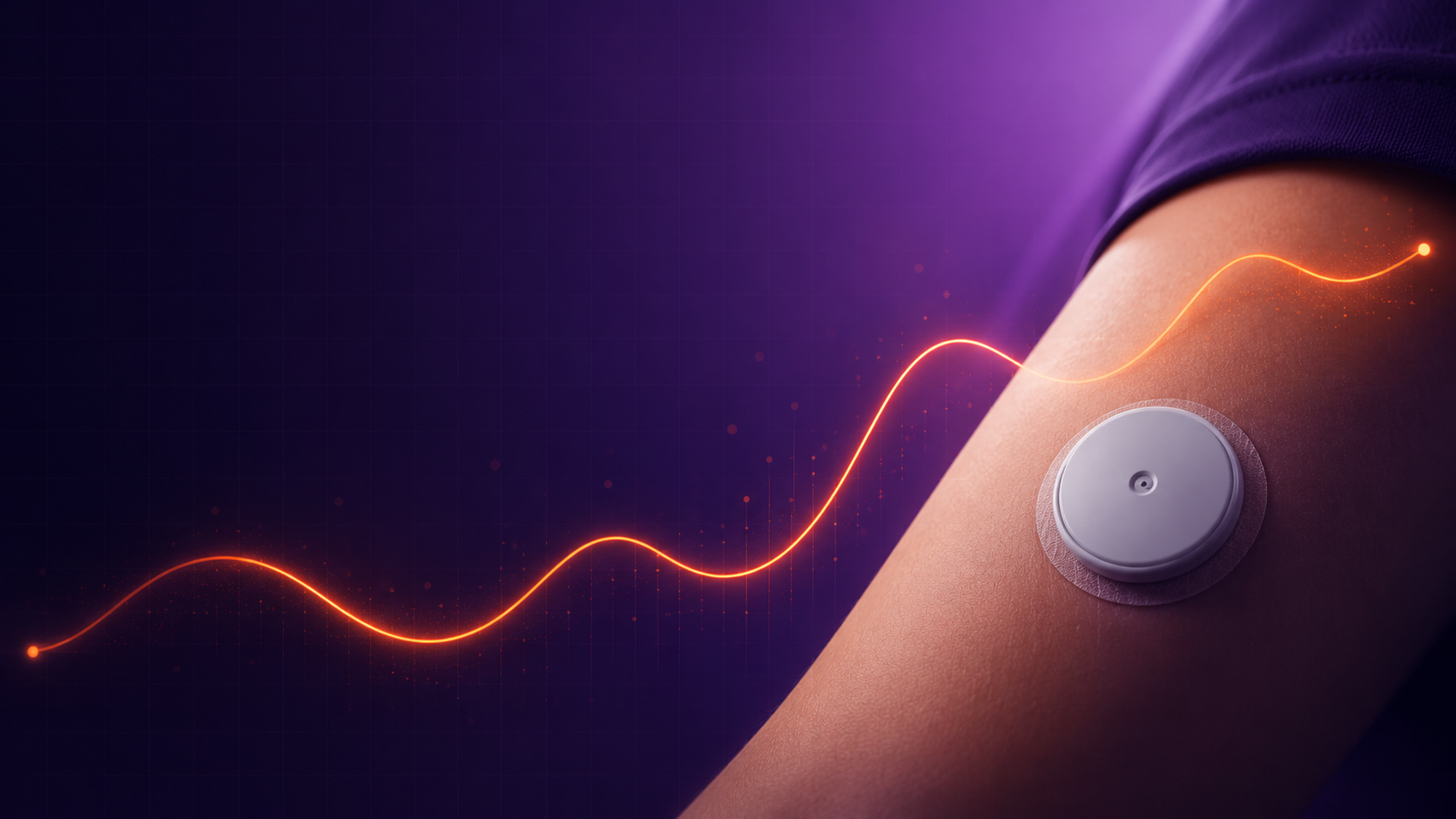
Posted June 2026 · Juicebox Podcast BlogThe pump-size race is officially on, and MiniMed just made its move. On March 18, MiniMed announced FDA clearance of the MiniMed Flex — a next-generation insulin pump that's roughly half the size of the MiniMed 780G, about the size of two stacked insulin vials, and the company's first pump with no screen at all. Everything runs through an app on your phone, iOS or Android, at launch.
If you follow this space, you know what that means: every major pump company is now converging on the same idea — small, discreet, phone-controlled hardware with the algorithm doing the heavy lifting in the background. Tandem went there with the Mobi. Omnipod has owned tubeless-and-small for years. Now MiniMed has its own answer, and it arrives with a detail worth pausing on: this is MiniMed's first FDA clearance as a standalone, publicly traded company — announced just one week after its IPO and separation from Medtronic. They wanted to come out swinging, and this is the swing.
What's actually in the box
Under the new shell, the Flex runs the same engine MiniMed users already know: the SmartGuard algorithm with Meal Detection technology, which automatically adjusts basal and delivers autocorrections in real time. The company points to real-world results of 80% Time in Range with recommended settings — with the usual real-world-data caveats attached, which is fair.
The hardware story is where things get interesting. Despite shrinking the pump by about half, MiniMed kept a full 300-unit reservoir — meaningful if you have higher insulin needs and have ever felt squeezed by smaller-capacity options. It stays compatible with MiniMed's existing infusion set lineup, including the Extended infusion set with up to seven days of wear, which the company says can mean up to 96% fewer injections compared with traditional insulin therapy.
And here's the line that made me sit up: at commercial launch, the Flex will support MiniMed's newest sensor portfolio — the Simplera Sync sensor and the Instinct sensor, which is made by Abbott. For a company that historically kept its ecosystem closed to its own sensors, offering an Abbott-built option is a genuine shift. Sensor choice has been one of the biggest reasons people ruled MiniMed in or out. That calculus just changed.
The Forward Program: don't miss this if you're deciding now
MiniMed also announced the MiniMed Forward Program: people who start on the 780G now can upgrade to the Flex for $0 when it ships. Per the fine print, that applies to customers who purchased a 780G between February 18, 2026 and launch. If you're mid-decision on a pump right now, that program is the practical headline of this whole announcement — it removes the “should I wait?” penalty.
On timing: the rollout starts with a customer experience phase this spring for select current MiniMed customers, with a broader commercial launch planned for the summer. The clearance covers people ages 7 and up with type 1 diabetes, and adults 18 and up with insulin-requiring type 2 diabetes.
Roughly two stacked insulin vials. Worn in a pocket or out of sight, controlled entirely from a compatible smartphone app on iOS or Android.
The same adaptive system MiniMed users know, auto-adjusting and autocorrecting in real time, with real-world reports of 80% Time in Range at recommended settings.
At launch, the Flex supports Simplera Sync and the Abbott-built Instinct sensor — a real opening of what's been a closed sensor ecosystem.
Eligible 780G purchasers (Feb 18, 2026 through launch) can move to the Flex for free when it becomes commercially available.
My take: smaller pumps don't shrink the job
I'm genuinely glad to see this. Competition on form factor is good for everyone — it drags the whole industry toward devices people actually want to wear. A screenless, phone-controlled pump with a 300-unit tank and a seven-day set is a real quality-of-life proposition, especially for teens, athletes, and anyone who's tired of clipping a brick to their waistband.
But here's the thing I'll keep saying no matter whose logo is on the pump: the algorithm is only as good as the settings and the understanding underneath it. Meal detection is a safety net, not a substitute for bolusing well. A smaller pump doesn't change how insulin works — timing and amount are still the entire game. If you hand any automated system bad settings and no pre-bolus, it will faithfully automate mediocre results. Get the foundation right and these systems genuinely shine.
Thinking about switching?
This is news, not a recommendation. Pump choice is personal — sensor preference, insurance coverage, insulin needs, tubed vs. tubeless, and how you feel about phone-only control all matter. Talk it through with your endocrinologist, and if you're buying a 780G in the meantime, ask about Forward Program enrollment so you don't leave the free upgrade on the table.
Want to learn more about MiniMed and the Flex? Use my link — bit.ly/3TQI7Gh — it takes you to MiniMed and lets them know the Juicebox Podcast sent you.
New pump, same fundamentals. Learn the part the device can't do.
The Juicebox Podcast has hundreds of conversations about pumps, algorithms, settings, and getting more out of automated insulin delivery — searchable by your exact question.
MiniMed Episodes Learn More at MiniMedRead the full disclaimer

Control-IQ+ Now FDA Cleared for Pregnancy in Type 1
Control-IQ+ Is Now FDA Cleared for Pregnancy in Type 1 Diabetes
For the first time, a commercially available automated insulin delivery system in the United States carries an indication for use during pregnancy. Here's what changed, what the study behind it found, and why it matters.
Posted June 2026 · Juicebox Podcast BlogIf you've ever managed type 1 diabetes through a pregnancy — or sat next to someone who has — you already know the problem this solves. Pregnancy doesn't just raise the stakes; it tightens the targets. The goal range shrinks to 63–140 mg/dL, insulin needs shift week to week, and until now, every automated insulin delivery system on the U.S. market was built around targets designed for people who aren't pregnant. Women were routinely told their algorithm wasn't cleared for pregnancy, leaving them to choose between using technology off-label or going back to doing everything by hand during the hardest stretch of diabetes management most of them will ever face.
That just changed. In late April, Tandem Diabetes Care announced that the FDA has cleared Control-IQ+ automated insulin delivery technology for use in pregnancy complicated by type 1 diabetes. The clearance covers both of Tandem's pumps — the t:slim X2 and the Tandem Mobi — making them the first and only commercially available AID systems in the United States cleared for use during pregnancy. One footnote worth knowing up front: the indication applies provided the connected CGM is also suitable for use in pregnancy.
The study behind the clearance
This wasn't a paperwork update. The expanded indication is built on the CIRCUIT trial, a multi-center randomized controlled study published in JAMA in October 2025. Participants were assigned either to a t:slim X2 with Control-IQ technology or to continue their existing therapy — multiple daily injections or a pump — alongside continuous glucose monitoring.
The headline result: from 16 weeks gestation through the end of pregnancy, the Control-IQ group spent 12.6% more time in the pregnancy glucose target range of 63–140 mg/dL. That works out to roughly three extra hours per day in range. Maternal and newborn outcomes were similar between the two groups overall, with the numbers leaning in favor of the Control-IQ users.
Two details from the trial stand out to me. First, the improvement showed up regardless of where people started — across every study site, across baseline A1c ranges, and whether participants came in on injections or a pump. Second, according to principal investigator Dr. Lois Donovan of the University of Calgary, the glycemic improvement appeared within the first week of starting Control-IQ and held for the rest of the pregnancy. That's not a slow ramp. That's the algorithm meeting the need almost immediately.
Dr. Pinsker's point is the whole story in five words. More time in the pregnancy-specific range is associated with better pregnancy outcomes — and an algorithm that's actually allowed to chase that range, all day and all night, is doing work that no exhausted pregnant person should have to do alone at 3 a.m.
Why this matters beyond the headline
I say this all the time: diabetes is timing and amount. Pregnancy is what happens when both of those variables start moving on you constantly — insulin resistance climbs through the trimesters, targets tighten, and the margin for error feels smaller because it is. Automation doesn't erase the need to understand your settings, your basal, your ratios. It never does. But a system that's been studied in pregnancy, against pregnancy targets, and cleared on that evidence gives pregnant women and their care teams something they've never had before: a sanctioned option instead of a workaround.
It also matters for the conversation in the exam room. Until now, plenty of women heard some version of “we can't recommend that during pregnancy.” Now there's an indication, a JAMA-published randomized trial, and a label to point to. That changes what's possible to ask for.
FDA clearance for use in pregnancy complicated by type 1 diabetes, on both the t:slim X2 and Tandem Mobi.
Multi-center randomized controlled trial published in JAMA, October 2025. Improvements appeared within the first week of use.
About three more hours per day in the 63–140 mg/dL pregnancy target range, from 16 weeks gestation to delivery.
Tandem is rolling out healthcare provider education on pregnancy and T1D, starting at the ADA Scientific Sessions in New Orleans this June.
If you're pregnant or planning to be
Talk to your care team first
This is news, not medical advice. If you're pregnant or planning a pregnancy with type 1 diabetes, bring this clearance to your endocrinologist and your maternal-fetal medicine team and ask whether Control-IQ+ fits your situation. Remember that the pregnancy indication requires a connected CGM that is also suitable for use in pregnancy, and the system is indicated for use with NovoLog or Humalog U-100 insulin.
And whichever path you take — automated or manual, pump or pens — the fundamentals don't change. Solid settings, honest carb awareness, and well-timed insulin are still the foundation everything else sits on. An algorithm amplifies good settings; it doesn't replace them.
One more thing worth saying plainly: for years, pregnant women with T1D have been some of the most under-served, hardest-working people in this entire community. They've managed tighter targets than anyone, with less technology support than everyone. A cleared, studied, on-label option won't make pregnancy with type 1 easy. But it moves the floor up — and that's exactly the kind of progress worth celebrating.
Want to learn more about Tandem's pumps and Control-IQ+? Use my link — bit.ly/4hyIrTn — it takes you to Tandem and lets them know the Juicebox Podcast sent you. Full safety information is at tandemdiabetes.com/safetyinfo.
Pregnancy with T1D is a marathon. Don't run it uninformed.
The Juicebox Podcast has hundreds of conversations about insulin timing, settings, pumps, algorithms, and real life with type 1 — searchable by your exact question.
Control-IQ Episodes Learn More at TandemRead the full disclaimer

Omnipod 5 Enhanced Algorithm: 100 Target, Libre 3 Plus & More
The Biggest Omnipod 5 Update Yet Is Rolling Out Now
A 100 mg/dL target, fewer Automated Mode interruptions, and Libre 3 Plus compatibility — here's what's in the update, who gets it, and how it actually arrives on your system.
New lowest Target Glucose
A 100 mg/dL target joins the lineup, giving Omnipod 5 six settings from 100–150 mg/dL — the most personalization the system has ever offered.
Fewer mode interruptions
The updated algorithm is designed to keep you in Automated Mode longer, with improved alarm handling — even during prolonged highs.
Libre 3 Plus compatibility
Omnipod 5 now pairs with Abbott's FreeStyle Libre 3 Plus in the U.S., with caregiver following through the LibreLinkUp app.
What just happened
On June 3, 2026, Insulet announced the U.S. rollout of new algorithm enhancements for the Omnipod 5 Automated Insulin Delivery system — the changes the FDA cleared back in December 2025. Insulet is calling this the most significant algorithm advancement since Omnipod 5 launched in 2022, and for once that's not just press-release language. The update changes how the system targets, how it behaves during highs, and which sensors it talks to.
Insulet also announced that Omnipod 5 is now compatible in the U.S. with Abbott's FreeStyle Libre 3 Plus sensor, with more details shared at the ADA Scientific Sessions in New Orleans in early June.
The 100 mg/dL target is the headline
Since launch, the lowest Target Glucose Omnipod 5 would let you set was 110 mg/dL. The enhanced algorithm adds a 100 mg/dL option, which means six available settings from 100 to 150 in 10-point steps — and more room for you and your provider to fine-tune where the system aims.
Why does that matter? Because where the algorithm aims is where your results tend to live. Insulet points to real-world data showing that when users moved from the 150 mg/dL target down to 110, median time in range improved meaningfully — about 11.8% in people with type 1 — without a clinically significant rise in time below range. A lower available target gives the system permission to be more ambitious on your behalf.
I was in New Orleans the week of this announcement and spent time with the Insulet team talking through these changes — what they mean for current users, and where Omnipod is headed next. Keep an eye on the podcast feed for more on that.
Staying in Automated Mode longer
The second change is less flashy but might matter just as much day to day: the enhanced algorithm is built to keep users in Automated Mode with fewer interruptions, including during prolonged high glucose events, with improved alarm handling along the way.
If you've used Omnipod 5, you know the frustration — the moments when the system kicks you out of automation right when you'd most like it doing the work. Every exit from Automated Mode is a handoff back to you. Fewer handoffs means the algorithm spends more time doing the job you put it on your body to do.
Libre 3 Plus joins the party
Omnipod 5 now works with Abbott's FreeStyle Libre 3 Plus sensor in the U.S. That's a real expansion of choice — sensor preference, insurance coverage, and pharmacy access vary a lot from person to person, and being able to pick the sensor that works for your life (and your plan) removes one more barrier to starting AID.
One detail caregivers will care about: the integration supports following through Abbott's LibreLinkUp app. If you're a parent watching a kid's numbers from across town, that remote view comes along with the sensor choice. International rollouts of the Libre 3 Plus integration are planned for later this year.
How to get the update
This is the part everybody actually wants to know, so here it is straight:
Watch for the over-the-air update
The update arrives as a free software update through your Omnipod 5 Controller or the Omnipod 5 mobile app. You don't need a new prescription or new hardware to receive the software itself.
Know that some features need compatible Pods
Features like the new 100 mg/dL target require updated, compatible Pods. Insulet began shipping these into U.S. retail channels ahead of the rollout, so access to new features expands as compatible Pods reach you through your normal supply.
Talk to your provider about your target
If a lower target makes sense for you, that's a settings conversation with your healthcare team. Bring the real-world data to your next appointment and ask whether 100 is right for your situation.
Interested in Libre 3 Plus? Ask about the pairing
If you'd rather run Omnipod 5 with the Libre 3 Plus, talk to your provider and your supplier about sensor coverage and getting set up — caregiver following works through LibreLinkUp.
My take
Here's how I'd think about this update. Automation lowers some floors, but it has never erased the need to understand what your system is doing and why. A lower target is a more ambitious instruction — and an algorithm aiming at 100 will only perform as well as the settings and habits underneath it. Your basal program, your carb ratios, your pre-bolus timing — the algorithm builds on those; it doesn't replace them.
So take the update, absolutely. Consider the lower target with your provider. And if your results on automation have never quite matched what you hoped for, this is a great moment to make sure your foundation is solid. The Omnipod 5 series on the podcast and the listener tools below are built for exactly that.
Get more out of your Omnipod 5
Explore the series that helps Omnipod 5 users understand what their algorithm is doing — and why — or search hundreds of listener questions in the FAQ.
The content on this site is for educational purposes only and is not medical advice. Always talk with your healthcare provider before changing your diabetes management.
Read the full disclaimer
Dexcom G7 Goosenecking, Accuracy & What's Coming with G8
Inside Dexcom: goosenecking, accuracy, and a peek at G8
I sat down with Dexcom's CEO and CTO to ask the questions you've been asking me — about sensors that don't make it, day-one fuzziness, replacements, and what the next sensor is going to fix.
This is one of those conversations I think a lot of people have been waiting for. I had Jake Leach, Dexcom's president and CEO, and Peter Simpson, their chief technology officer, on the show together. Peter is one of the founders of the technology — he's been at Dexcom for about twenty-four years and has had a hand in basically every generation of the sensor. So when I asked questions about why a sensor does what it does, I was talking to the person who would actually know.
We covered the stuff you keep bringing to me: the G7 "goosenecking" failures, day-one accuracy, why some sensors don't make it to the end, how replacements and support are changing, the new adhesive, and a little bit about the next sensor, G8. I'm not going to give you the whole thing here — the details are worth hearing in their own words — but here's what stuck with me.
The setupWhere these answers came from
Some of this came out of the Dexcom Customer Advisory Council, which the company formed in January 2026 to hear directly from the people who use the product every day. I'm part of that council, and I'll be honest — I didn't just bring my own opinions to the table. I brought a pile of feedback from this audience. The fact that I got invited back for a second meeting told me they actually wanted to hear it.
Dexcom is publishing a report based on those meetings, laying out what they heard and the commitments they're making around product performance, communication, transparency, and replacements. This episode is, in a lot of ways, me asking them to explain those things out loud.
The big one
What "goosenecking" actually is
If you've seen this come up online, here's the plain-language version Peter gave me. When you deploy a G7, the applicator brings the sensor and the needle down under the skin, then retracts the needle and leaves the sensor behind. In a goosenecking failure, the sensor gets pulled back out with the needle — so it ends up not actually in your body. The result is a sensor that won't connect or won't read glucose. Essentially an out-of-the-box failure.
Two things I wanted people to hear clearly. First, Dexcom says their algorithm detects this, so it isn't a safety concern — it's a usability concern. But they take it seriously, because when you put a sensor on, you expect it to work. Second, because the devices are connected and constantly reporting performance, they saw the failure rate start climbing early in 2025 — before they understood the cause.
What they did next is the part I found genuinely interesting. They pulled people off their normal projects into what they call "tiger teams," meeting once or twice a day to chase it down. The root cause turned out to be the kind of thing that shows up when you scale: as manufacturing volume grows, you get more process variability. Once they identified where that variability was coming from, they were able to bring the rate back down.
"It does happen very rarely still, but we want to try and drive as close to zero as possible."
— Jake Leach, CEO, DexcomWhere it stands now: they say the failure rate is back to historically low levels, and there's technology coming later this year meant to push it even further — to the best they've ever had in G7. Could it still happen to someone? Yes, rarely. But the bigger takeaway, in my read, is that this problem taught them to monitor a lot more in real time. Peter said they're now watching dozens of attributes and reacting to small signals before they ever reach the field.
The part people misread
When a sensor "fails," it isn't always broken
This is the section I'd most want a newly diagnosed person to hear, because the word "failed" is misleading. A lot of what we call a sensor failure isn't a defective sensor at all — it's physiology.
Peter explained it like this. On a benchtop, these sensors are extremely accurate — we're talking low single-digit MARD (that's the standard accuracy measure). The variability shows up when the sensor meets a living body. Put the same sensor on ten different people and you can get ten different experiences.
When you insert a sensor, you create a tiny wound, and your body kicks off a wound-healing response — sending in cells that are very metabolically active. The sensor is working fine. Your body is just temporarily interfering with glucose reaching it. Once that settles, the environment stays stable for a long time. At the very end of wear, the opposite happens: the body starts to encapsulate the sensor, cutting it off from the glucose and oxygen it needs.
In both cases, the algorithm is watching signal quality. If it doesn't trust what it's seeing, it will temporarily blank the data or shut the sensor down rather than show you a number that might be wrong. So "sensor failed" can simply mean the algorithm decided it could no longer stand behind the reading.
On the question everyone asks — how often does a sensor not make it? — Jake said the goal is for at least 80% of sensors to reach full wear time, that most do make it to day ten, and that the fifteen-day sensors are actually surviving a little better than they did in the clinical study. When one ends early, it's often at day 13 or 14, and usually it's the physiologic environment, not a defect.
Support & replacements
Why a replacement call can feel like an interrogation
I asked directly about support and replacements, because that's where a lot of the frustration lives. On support, Jake pointed to the new MyDexcom account and better tools for their agents, with the goal of fixing the thing where you have to repeat your information over and over. His line was that they want to set the standard for customer service in the whole category — and that the company should be relieving the burden of diabetes, never adding to it.
On replacements, here's a reality I didn't fully appreciate: there are people calling Dexcom who aren't even users, trying to get replacement sensors to resell. That's part of why a genuine customer can feel like they're being grilled — the company is trying to confirm you're a real person who actually needs a sensor. Dexcom says they're building better, lower-friction ways to verify users so real customers can get what they need faster. The stated north star is simple: nobody should go a day without a sensor.
"We're relieving the burden of diabetes — we should never be adding to your burden as a user."
— Jake Leach, CEO, DexcomWhat's next
A better adhesive now, and a peek at G8
On adhesive — Dexcom is in the middle of rolling out the third version of the G7 adhesive, and it's already reaching people in the field, with plans to bring it across the portfolio.
And then there's G8. I tried to ask about it in a thoughtful way: if G8 had been your first sensor ever, which of today's problems simply wouldn't exist? Jake described it as the next big advancement — it adds multi-analyte sensing, and it carries brand-new, first-of-its-kind technology that measures an additional signal so the sensor can essentially self-adjust while you wear it. Think of it as calibrating itself, on its own, instead of you doing it. That should take aim at a lot of the variability people have run into. He was candid that a little first-day variability will probably still exist — there's always more to improve — but the direction is clear.
I'll note: no firm release date was given in this conversation, so I'm not going to invent one. But it didn't sound as far off as you might think.
If you only remember five things
The short version
- Goosenecking is when the sensor gets pulled back out with the needle during insertion. Dexcom says it's detectable, not a safety issue, traced to manufacturing variability from scaling, and now back to historically low rates — with more improvement coming this year.
- "Sensor failed" often isn't a broken sensor. Day-one fuzziness is usually a wound-healing response; end-of-wear shutoffs are usually the body encapsulating the sensor. The algorithm hides data it can't trust.
- The goal is 80%+ of sensors reaching full wear, most make it to day ten, and fifteen-day sensors are surviving a bit better than in the trial.
- Replacement friction exists partly because non-users try to game the system. Dexcom says it's working on lower-friction verification for real customers.
- G8 adds multi-analyte sensing and a self-adjusting "auto-calibration" technology aimed at the variability people experience today.
There's a lot more nuance in the full conversation — including how Dexcom now monitors performance in real time, and Peter's deeper explanation of how the sensor and the interstitial fluid actually interact. Go listen to the whole thing.
Listen to the full episode
The details matter here, and they're best in Jake and Peter's own words. Tap play, then come ask questions in the community.
More from Dexcom: the Customer Advisory Council report · sensor replacement policyRead the full disclaimer

Dexcom G7 Stolen Sensor Safety Notice
Stolen Dexcom G7 Sensors Are Out There. Here's the One Thing to Check.
Most people reading this are completely fine. But there are two specific G7 lot numbers worth thirty seconds of your time — so let's go through it together.
Two G7 lot numbers are affected
If you have unused Dexcom G7 sensors, look at the lot number printed on the box and packaging. If it matches either number below, do not use those sensors.
Not properly sterilized — increased risk of skin infection.
Elevated failure rate — may give no glucose readings at all.
- Stop using any sensor from those two lots.
- Call Dexcom in the US at 1-844-478-1600 to get free replacements.
- Check the official page for step-by-step instructions on finding your lot number: dexcom.com/theft-check
Outside the US? This issue is US-focused, but Dexcom is adding region-specific resources — check the theft-check page for your country's instructions.
Open the Dexcom Theft-Check page →Here's what actually happened, who it affects, and how to think about it without losing your mind.
What happened
This is not a manufacturing defect, and it's not a routine recall. It's theft.
When Dexcom makes sensors, some don't pass their quality checks. Those get flagged as "scrap" and sent to an outside vendor to be destroyed and recycled. That's normal — every manufacturer does some version of this. The problem is that someone stole certain lots of those scrapped G7 sensors during the destruction process and sold them through a company called Pharmsource, LLC, which is not an authorized Dexcom distributor.
So these are sensors that Dexcom had already decided were not good enough to sell, then someone diverted them and put them back into the supply chain anyway. Dexcom caught it through its own quality and accounting reviews, traced the sales back to the source, and is now notifying people directly and working with the FDA and other authorities.
Who is — and isn't — affected
This is the part that should bring your blood pressure back down. The vast majority of G7 users are not impacted at all.
You're almost certainly fine if you get your sensors the normal way — through a major pharmacy retailer (think the big chains), through your insurance, or through a medical distributor that buys from Dexcom's authorized distributors. Educational samples are not affected either.
You'll want to look more carefully if your sensors came through a smaller independent pharmacy or a DME (durable medical equipment) supplier, since Pharmsource sold to some of those. If that's you, check your lot numbers against the two above. Dexcom also publishes its list of authorized US distributors at dexcom.com/dexcom-suppliers.
The reassuring note from Dexcom: as of their announcement, they had not received reports of any severe adverse events tied to the stolen product. But the two risks are real — a sensor that wasn't sterilized properly is an infection concern, and a sensor with a high failure rate can quietly leave you with no data when you're counting on it. Neither is something to gamble on when a replacement is free.
What to do, in order
Don't overthink this. Walk through it once and you're done:
1. Find your lot numbers
Pull out any unused G7 sensors and look at the lot number on the outer box and the individual packaging. You're checking for 1725204004 and 1725069002.
2. If you don't have either lot
You're done. Carry on. Nothing about your sensors changed because of this news.
3. If you do have an affected lot
Set those sensors aside, don't insert them, and call Dexcom at 1-844-478-1600 for free replacements. Use the official dexcom.com/theft-check page to confirm and get the exact steps. If you've already worn one and you have any sign of skin irritation or infection at the site — redness, swelling, warmth, pus — loop in your doctor, not just Dexcom.
How I'd think about this
A few of you saw the word "stolen" next to "sensor" and your stomach dropped. I get it. When you live with a device attached to your body that's helping you make insulin decisions all day, anything that threatens trust in that device feels personal. So let me say the calm thing plainly:
This is a narrow, traceable problem with a free fix. Two lot numbers. A phone call. Done. The thing that protects you here isn't panic — it's the thirty seconds it takes to read a number off a box. Competence beats fear every time, even when the fear is about supply chains instead of blood sugar.
If there's a lasting takeaway, it's a quiet one: where you get your supplies matters. Authorized channels exist for a reason, and "I found it cheaper somewhere unofficial" is exactly the gap that let this happen. That's not a reason to be anxious — it's just a reason to know your sources.
And give Dexcom this much: they found it themselves, traced it, and went public instead of hoping no one noticed. That's the version of accountability you actually want from a company making something you stick to your body.
Quick recap: Two G7 lots — 1725204004 (sterilization) and 1725069002 (failure rate) — were stolen as scrap and sold through an unauthorized vendor. Check your boxes. If you have either lot, stop using them and call Dexcom at 1-844-478-1600 for free replacements. Everyone else: nothing to do.
Official resources
Read the full disclaimer